
One list per subcontractor
Assign every snag to a trade, then generate a filtered PDF for each one. The dryliner never has to scroll past the electrician's items.
Walk the job, record each snag against the trade responsible, then send every subcontractor a PDF of only their items. Export the register to Excel for the progress meeting. No seats, no subscription.
For site managers, contracts managers, small contractors and clerks of works in the uk. Android 8.0 and above. Free for one project, no account required.
In the last weeks before practical completion the snag list decides the programme. Items sit on a clipboard or in a spreadsheet with photos in a separate folder, each subcontractor needs their own list, and the version sent on Monday is out of date by Wednesday. Cloud platforms solve this for large teams, but they are priced per user per month and need everyone to be on them.
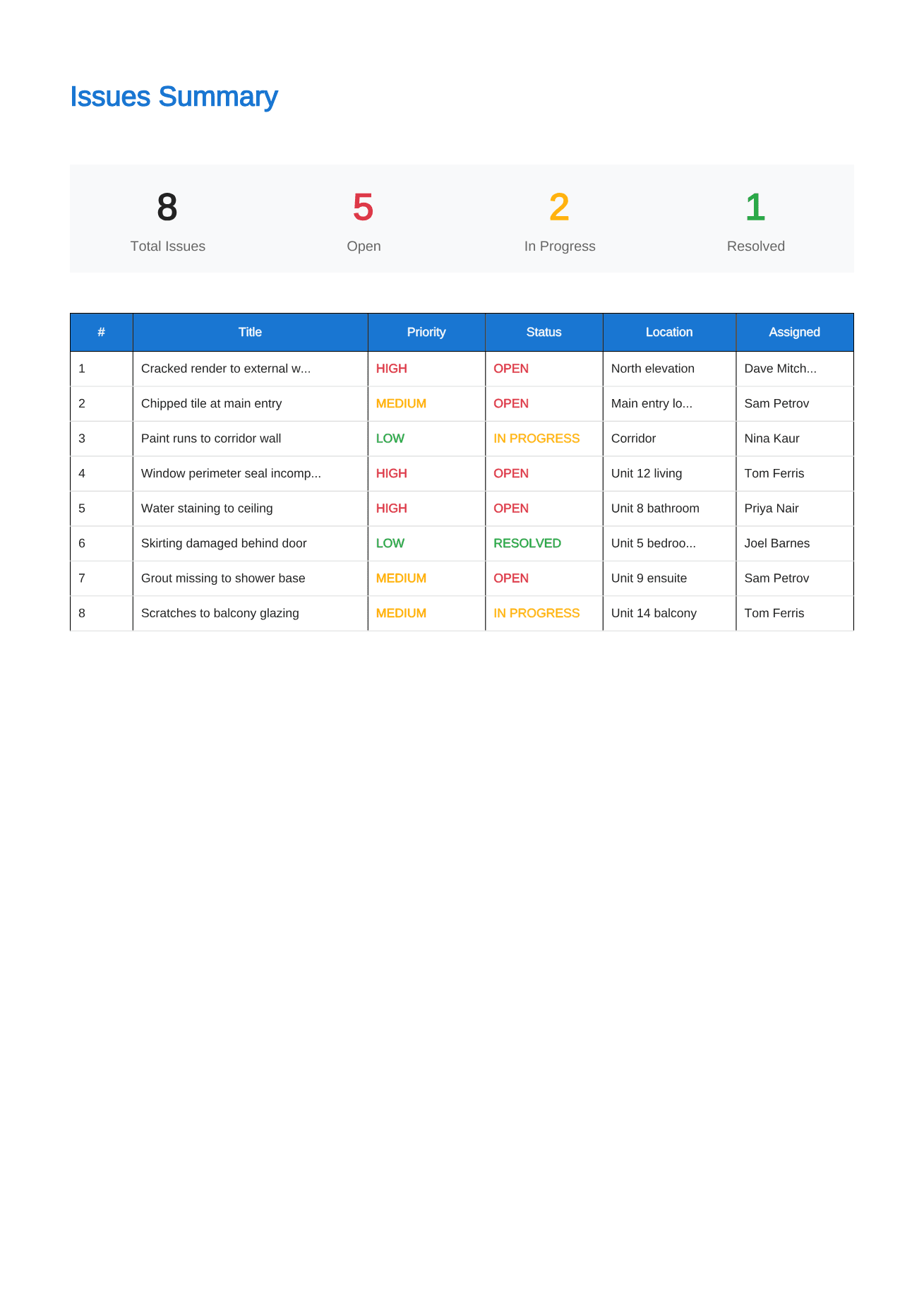
Site Audit is deliberately smaller. One person records the snags on an Android phone, each snag carries its trade, priority, due date and photos, and the app produces the documents everyone else needs: a full report for the client or contract administrator, a filtered PDF for each subcontractor, and a CSV register for Excel.
Assign every snag to a trade, then generate a filtered PDF for each one. The dryliner never has to scroll past the electrician's items.
Export the full issue register as CSV with status, priority, trade and dates, ready to sort and filter in Excel.
Before and after photos and resolution notes stay on each snag, so the record of what was fixed, and when, is already written.
Step 1
Add each snag with photos, mark up, location and the responsible trade. Set priority and a due date where the programme needs one.
Step 2
Generate one PDF per subcontractor and send them the same day. Keep the full report for the client side.
Step 3
Re-inspect, add after photos, mark items resolved and export an updated register showing what remains before completion.
Basements, cores and new estates rarely have signal. Recording and PDF generation do not need a connection.
It is a single-user app with no cloud. If twenty people must edit one shared list live, a team platform will suit you better.
The guides on this site cover practical completion, the JCT rectification period and the schedule of defects in UK terms.
Free for one complete project. Pro is £18.99 once through Google Play for unlimited projects, per-trade PDFs and CSV export.
Straight answers about scope, storage and the reporting workflow.
Not live. The app stores data on one device and has no shared cloud project. Snags can be exported as CSV and reports shared as PDF, and a whole project can be moved to another phone with a backup file.
Yes, with Pro. Assign snags to a contractor and generate a filtered report for each one. The full report stays available for the client.
Yes. The CSV export of the issue register opens directly in Excel or Google Sheets, with one row per snag.
One complete project is free. Pro is a single £18.99 purchase through Google Play for unlimited projects. There are no seat or monthly fees.
Record defensible evidence on site and turn it into a clear, branded defect report before the details get lost.
See the workflowGive every closeout item a location, owner and clear finish line, then send each contractor only the work that is theirs.
See the workflowTurn observed conditions into a consistent, branded field report without transferring notes and photos after the inspection.
See the workflowUse a real four-part report example to structure project details, the issue summary, individual findings and photographic evidence.
See the workflowWalk the property once, record every defect with photographs, and issue the handover defect list before anyone leaves the site.
See the workflowRun one complete punch list free, from the walk to the PDF, then decide whether a one-time Pro unlock is worth it for the next job.
See the workflowSnag one property free, from the first photo to the PDF you send the developer or the trades, with no snag limit and nothing to sign up for.
See the workflowBuilt for UK snagging: plot by plot, room by room, with a PDF the developer's customer care team can work through. £18.99 once for Pro.
See the workflow