
No item or photo cap
A 15 item punch list and a 400 item punch list cost the same: nothing. Each item can carry several captioned photos.
Walk the job, photograph every open item, assign the sub and send a PDF punch list from your phone. The free version is the full app for one project, with no item cap, no ads and no sign-up.
For small general contractors, remodelers, superintendents and owners walking a closeout. Android 8.0 and above. Free for one project, no account required.
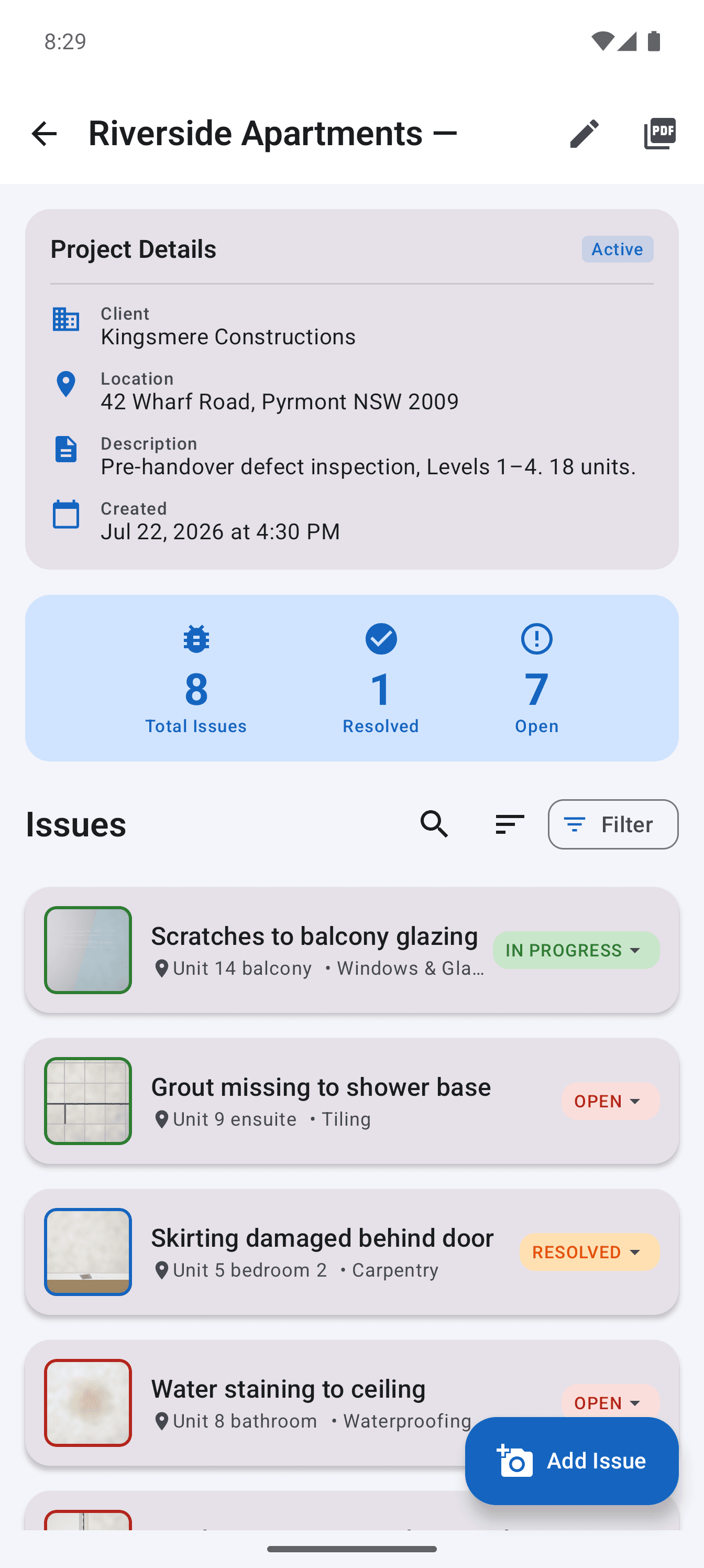
Free plans in this category are usually limited by the things a punch list needs most: a cap on items, on photos, on users, or a trial that ends before the subcontractors have cleared their work. The limit tends to arrive halfway through closeout, which is the worst time to change tools.
Site Audit draws the line somewhere else. The free version limits you to one project, and nothing inside that project is capped. Add every item the walk turns up, attach as many photos as each one needs, and export the finished PDF. Archived and completed projects still count toward the one, so the free tier suits a single job or a proper trial rather than a whole season of work.
A 15 item punch list and a 400 item punch list cost the same: nothing. Each item can carry several captioned photos.
Free reports carry your logo and company details, with one small credit line in the footer. Otherwise they are the same report Pro users send.
Capture, edit and generate the PDF in a basement or a new build with no data. Nothing waits for an upload.
Step 1
Install from Google Play, add your company name and logo, and create the project. There is no account to register.
Step 2
Add each item with a location, photos, a short description, the responsible sub and a priority. Dictate when typing is slow.
Step 3
Generate the PDF, share it by email or messaging, then mark items resolved as the subs clear them and issue an updated list.
One project with unlimited items and photos, photo markup, voice input, branded PDF reports with a footer credit line, and backup and restore.
Unlimited projects, PDFs with no credit line, a separate PDF per subcontractor, CSV export of the punch list and Maximum PDF quality.
Backup and restore stays free. Your photos and records should not depend on whether you paid.
Teams who need several people editing one live list, items pinned to drawings or a web dashboard. Those are cloud products with per user pricing.
Straight answers about scope, storage and the reporting workflow.
Yes. The free version has no time limit, no ads and no item or photo cap. It is limited to one project. Pro is an optional one-time purchase through Google Play that removes the project limit and adds per-subcontractor reports and CSV export.
No. There is no sign-up and no login. The punch list is stored on your phone, and you can back it up to a location you choose.
In the free version you send the full punch list PDF. Separate per-subcontractor PDFs are part of Pro.
No. The app is Android only, on phones and tablets running Android 8.0 or later.
Record defensible evidence on site and turn it into a clear, branded defect report before the details get lost.
See the workflowGive every closeout item a location, owner and clear finish line, then send each contractor only the work that is theirs.
See the workflowTurn observed conditions into a consistent, branded field report without transferring notes and photos after the inspection.
See the workflowUse a real four-part report example to structure project details, the issue summary, individual findings and photographic evidence.
See the workflowWalk the property once, record every defect with photographs, and issue the handover defect list before anyone leaves the site.
See the workflowSnag one property free, from the first photo to the PDF you send the developer or the trades, with no snag limit and nothing to sign up for.
See the workflow