
Snags the developer can find
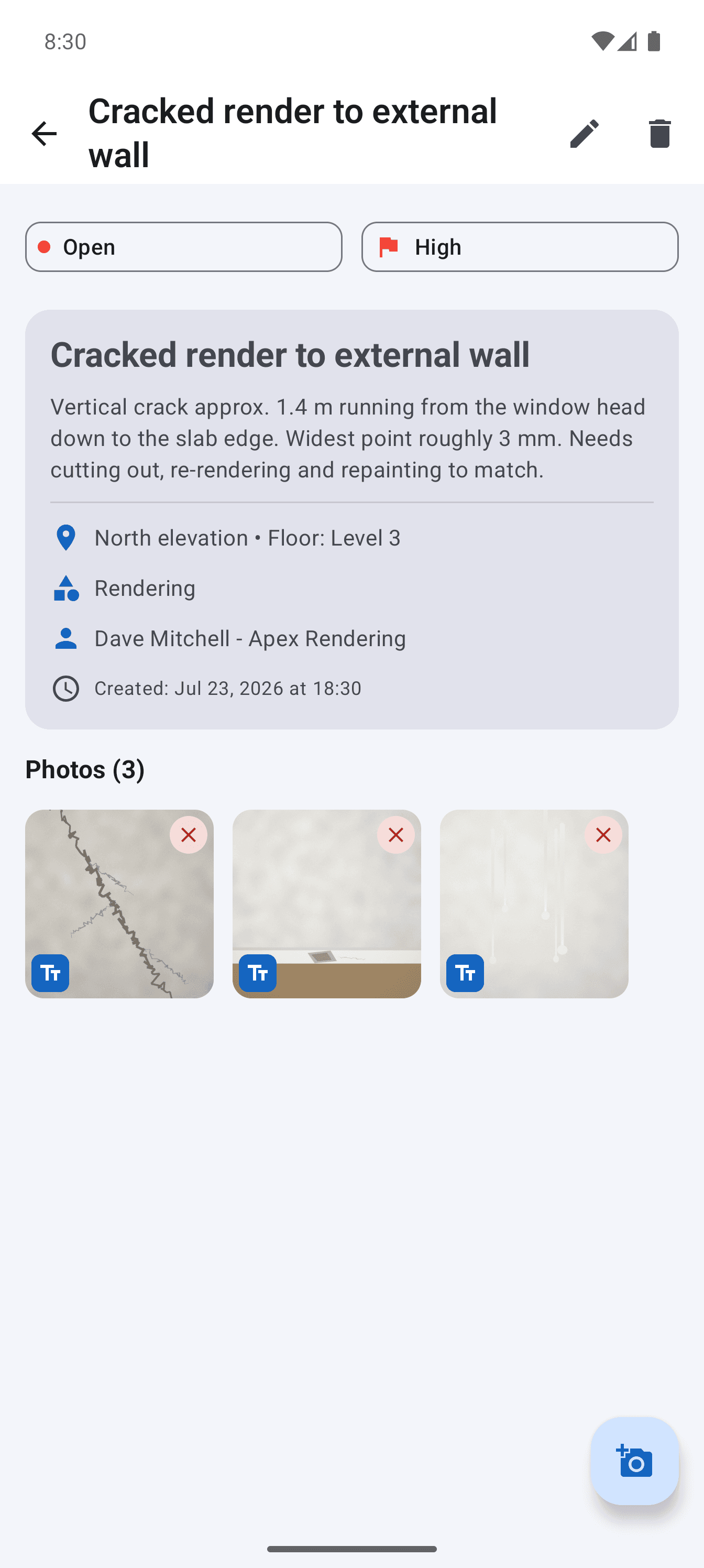
Each snag carries a room, a location and a wide plus close photo, so the trade who reads the PDF knows where to go.
Walk the property room by room, photograph each snag, note where it is and send a clear PDF snag list. One complete project is free, with unlimited snags and photos and no account.
For new build buyers snagging their own home, small builders and independent snagging inspectors. Android 8.0 and above. Free for one project, no account required.
If you are snagging your own new build, you need a tool for one property, once, and then for the follow-up visit when the developer says the work is done. A monthly subscription built for project teams is the wrong shape for that. So is a notes app full of photos with no locations.
The free version of Site Audit covers exactly that case. One project holds the whole property, every snag can carry several photos, and the PDF it produces is a numbered list your developer's customer care team can work through. When they come back, mark each snag resolved or still open and send an updated report.
Each snag carries a room, a location and a wide plus close photo, so the trade who reads the PDF knows where to go.
Snag numbers stay the same between reports, which makes it easy to say which items are still outstanding.
Everything is stored on your phone. Back it up and keep the issued PDFs in case of a later dispute.
Step 1
Follow the same route through the property and add each snag as you find it, with photos and a short factual description.
Step 2
Generate the snag list PDF and email it to the developer, keeping a copy of what you sent and the date.
Step 3
On the return visit, open each snag, add an after photo and mark it resolved or still open. Send the updated list.
There is no snag count or photo cap in the free project, and you can mark up photos to point at the problem.
New builds often have no Wi-Fi and weak signal. Recording and PDF generation both work without a connection.
Free, and never moved behind the upgrade. Save a backup before changing phones.
If you snag for a living, the one-time Pro unlock adds unlimited projects, reports with no app credit line, per-trade PDFs and CSV export.
Straight answers about scope, storage and the reporting workflow.
Yes. One project is free with no time limit, which covers a whole property and its follow-up visits. The PDF carries a small credit line in the footer, which does not affect how a developer reads it.
No. The app records what you see and produces the report. It does not provide inspection expertise, and some issues need a qualified person to assess them.
Yes. Recording snags, taking photos and generating the PDF all work offline. You need a connection only to send the report.
The Google Play title is localised by country. It is the same app, Site Audit & Snag List Report by Blu Mint Digital.
Record defensible evidence on site and turn it into a clear, branded defect report before the details get lost.
See the workflowGive every closeout item a location, owner and clear finish line, then send each contractor only the work that is theirs.
See the workflowTurn observed conditions into a consistent, branded field report without transferring notes and photos after the inspection.
See the workflowUse a real four-part report example to structure project details, the issue summary, individual findings and photographic evidence.
See the workflowWalk the property once, record every defect with photographs, and issue the handover defect list before anyone leaves the site.
See the workflowRun one complete punch list free, from the walk to the PDF, then decide whether a one-time Pro unlock is worth it for the next job.
See the workflow